
How do I send one email to many clients?
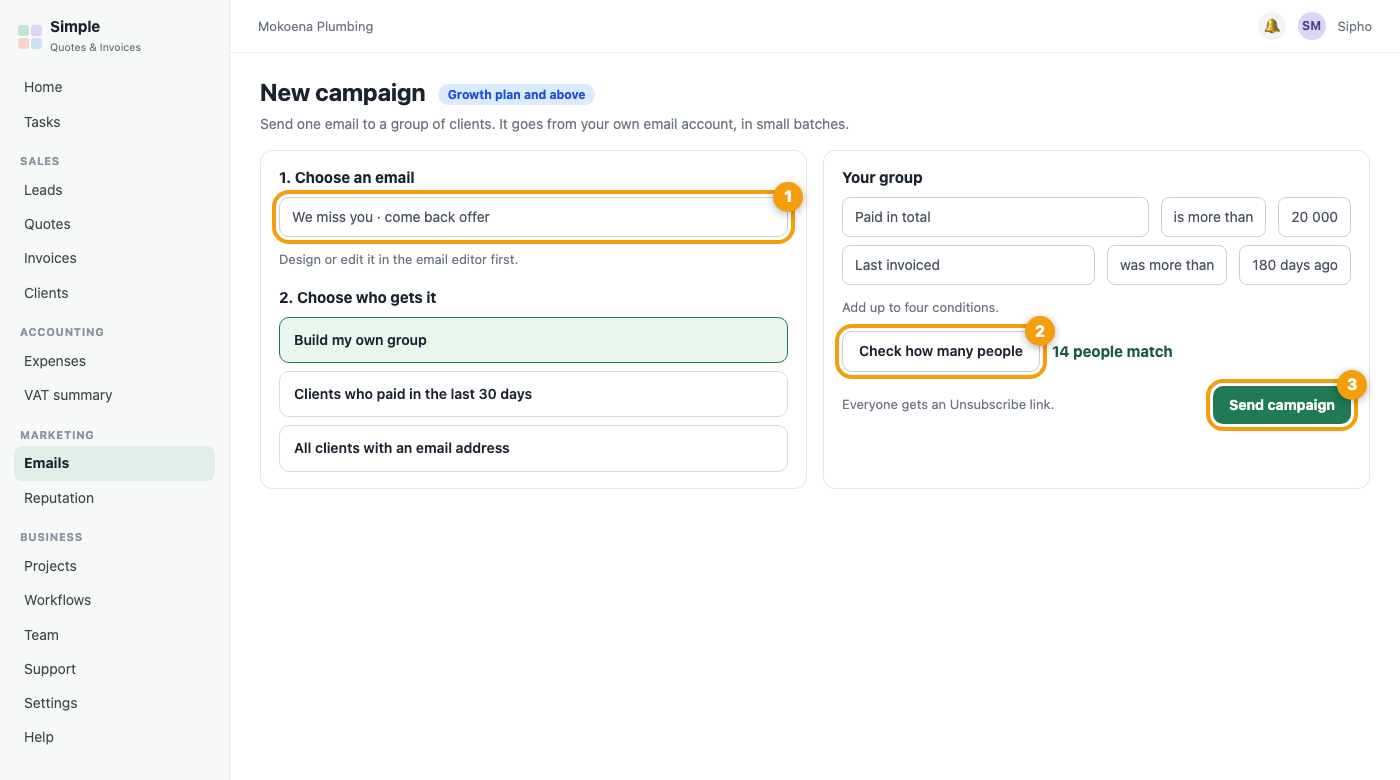
Open Marketing, Emails, Campaigns (Growth plan and above). Campaigns go out through your own email account, so first connect it under Settings, Email sending and switch on email signing (DKIM) at your email service. Then press New campaign, choose an email, choose who gets it (one of the ready-made groups, or Build my own group with up to four conditions such as Paid in total is more than 20 000 and Last invoiced was more than 180 days ago, and press Check how many people to see the number first), and send. Emails go out slowly in small batches, each has an Unsubscribe link, and anyone who unsubscribes is never emailed by a campaign again. You see how many were sent and how many people tapped a link.
Was this article helpful?
Did not find it? Contact support