
Design an email and run a campaign
This guide shows how to design an email in the visual editor and send it to a group of clients, such as a we-miss-you note. Campaigns are part of the Growth plan and above.
Before you start
- Your own email connected under Settings, Email sending.
- Email signing (DKIM) switched on at your email service.
1. Design the email
- Open Marketing, Emails.
- Press New email to start from a design, or Edit on an email you already have.
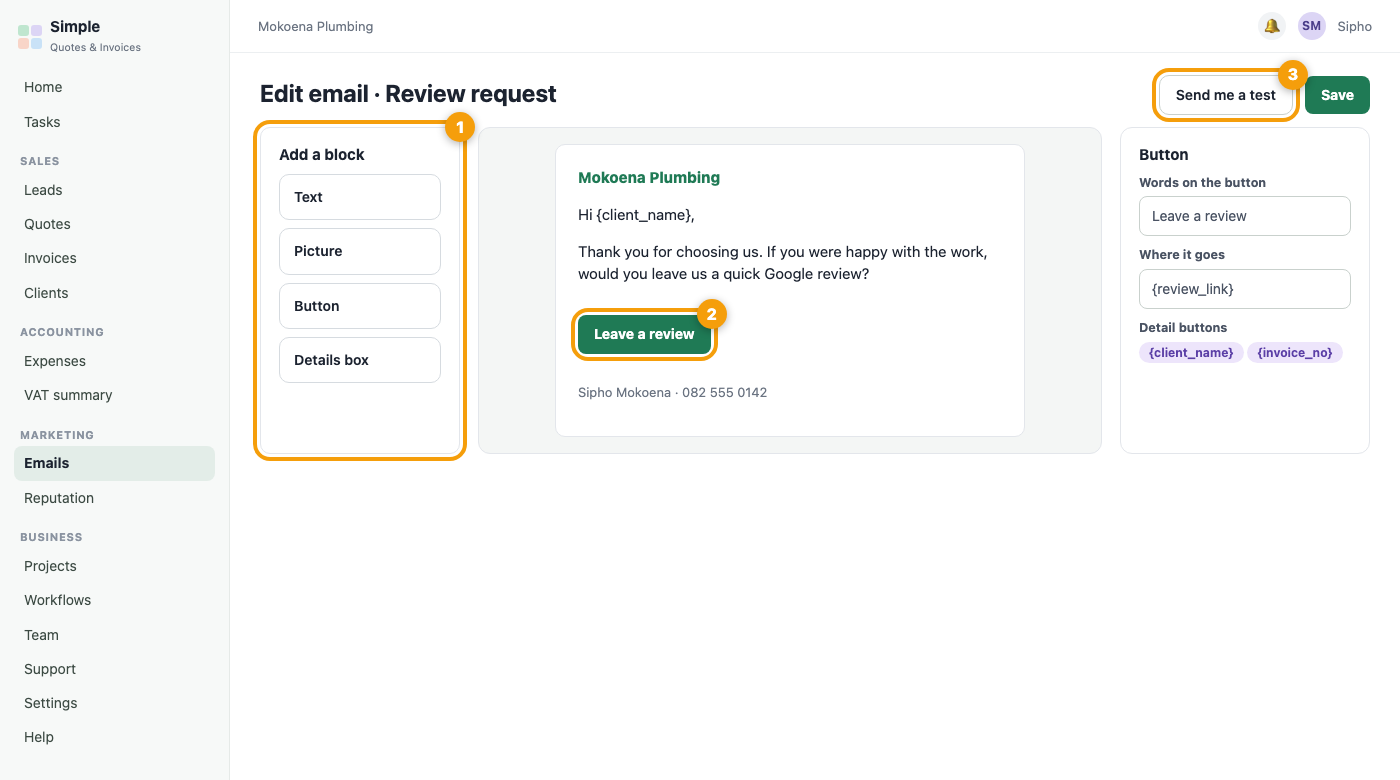
- Add blocks: text, pictures, buttons and a details box. Click a block to change it.
- Use the detail buttons, such as {client_name}, to put each person’s name in.
- Press Send me a test to see exactly what a client will see.
2. Choose who gets it
- Open Campaigns and press New campaign.
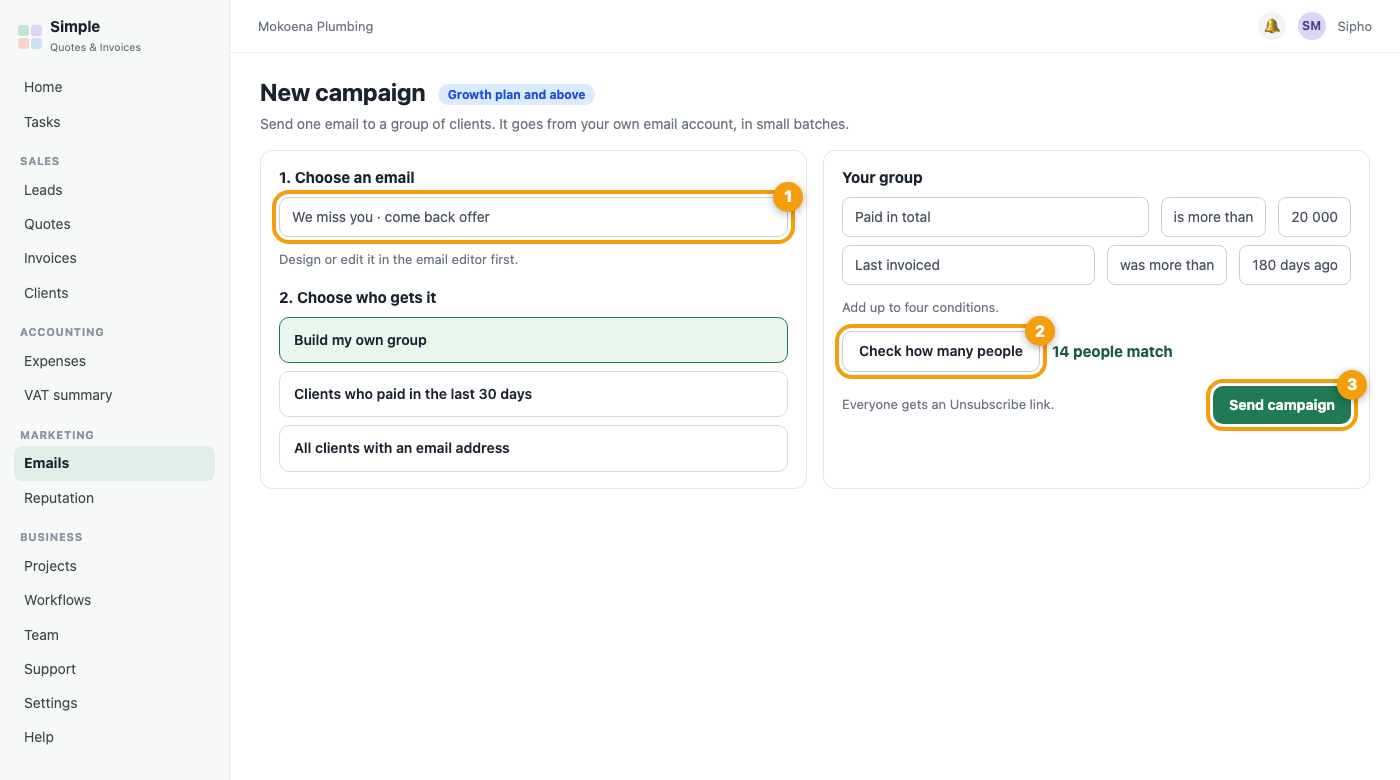
- Choose the email.
- Choose a ready-made group, or press Build my own group. You can use up to four conditions, for example Paid in total is more than 20 000 and Last invoiced was more than 180 days ago.
- Press Check how many people to see the number before you send.
3. Send
Press send. Emails go out slowly, in small batches. Everyone gets an Unsubscribe link, and anyone who unsubscribes is never emailed by a campaign again.
4. See how it went
You see how many were sent and how many people tapped a link.
Important: Only email people who have a relationship with you. Respect unsubscribes. We skip anyone who has opted out, and anyone with no email address.
Automatic emails
The Automations tab lists every email that goes out by itself, such as quote reminders and the review request. Switch each one on or off there.
Was this article helpful?
Did not find it? Contact support