
How do I make sure my quotes and invoices reach the inbox?
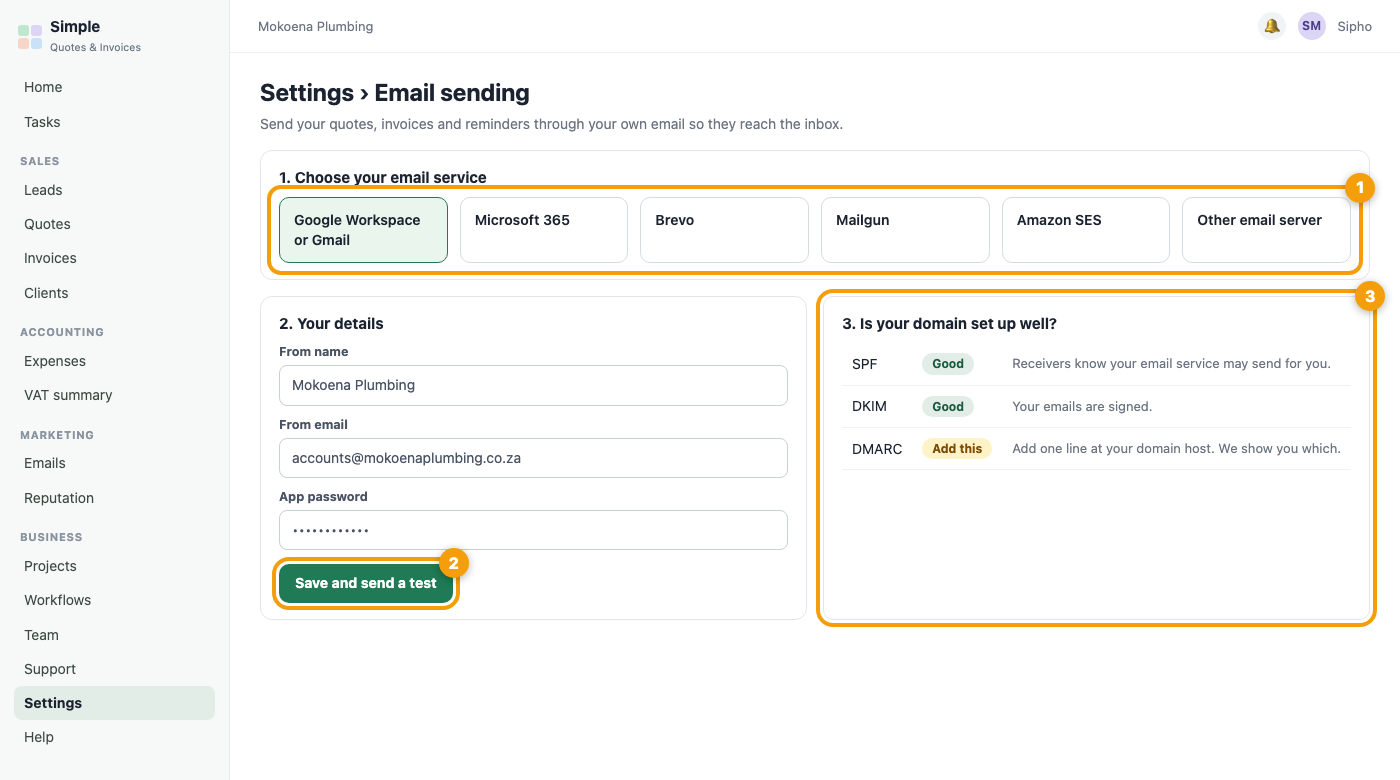
Open Settings, Email sending and connect the email service you already use: Google Workspace or Gmail, Microsoft 365, Brevo, Mailgun, Amazon SES or any SMTP server. Follow the short steps shown for your service, paste the details and press Save and send a test. Once it works, your quotes, invoices, reminders and review requests are all sent through your own email, which keeps them out of spam. The page also checks your domain (SPF, DKIM and DMARC) and tells you in plain words if anything should be fixed. Your password is stored encrypted and never shown again.
Was this article helpful?
Did not find it? Contact support