
How do I design an email and use it for follow-ups?
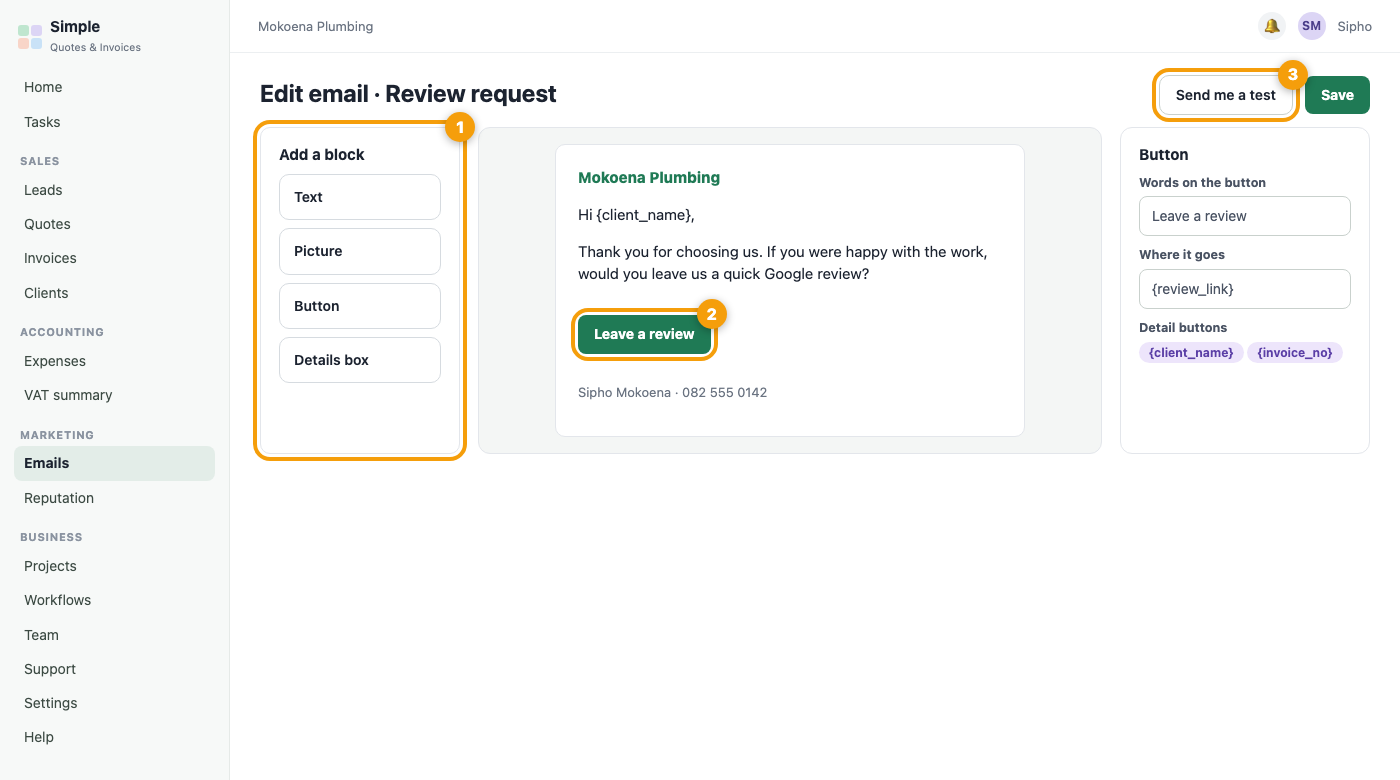
Open Marketing, Emails. The library holds every email you send: your lead follow-ups, the quote reminders, the review request and your own. Press New email to start from a design, or Edit on any email. In the editor, add blocks (text, pictures, buttons, a details box), click a block to change it, and use the detail buttons such as {client_name} to put each person’s name in. Send me a test shows exactly what a client will see. The Automations tab lists every email that goes out by itself and lets you switch each one on or off.
Was this article helpful?
Did not find it? Contact support