
Simple Quotes and InvoicesHelpContact supportOpen your dashboard
Help home Settings, team and security How do I give my staff a login?

How do I give my staff a login?

Updated 20 Oct 2026 · 1 minute read

Open Team (Settings, then Team). Enter their name and email, choose a role and press Send invite. They get an email to choose a password. Only owners can invite, change roles or remove people.
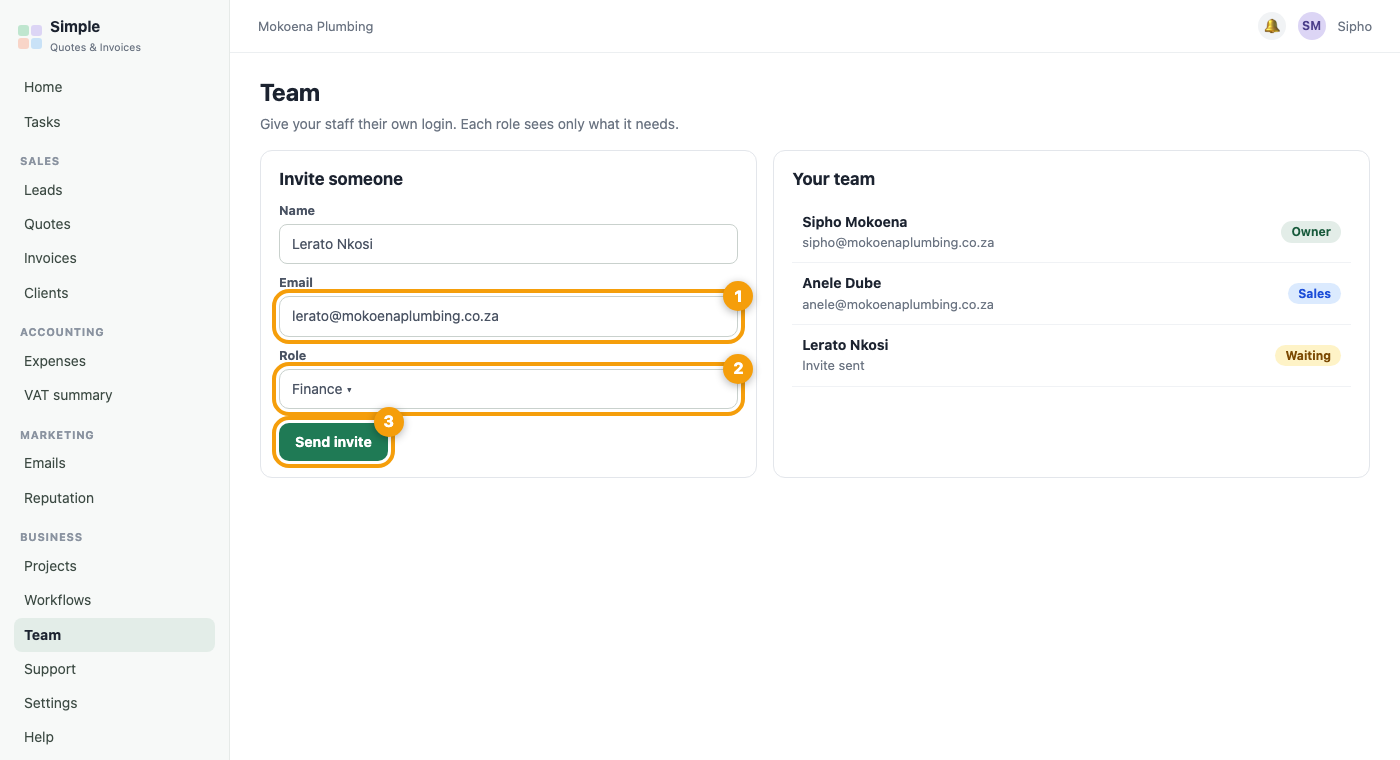
The Team page with the invite form and the role choice
Figure 1. Example screen. (1) Their email, (2) their role, (3) Send invite.
Was this article helpful?
Did not find it? Contact support

Related articles