
How do I contact support and log a ticket?
The quickest way to get help is to log a ticket from your own dashboard, so your question and our reply stay together and nothing goes missing.
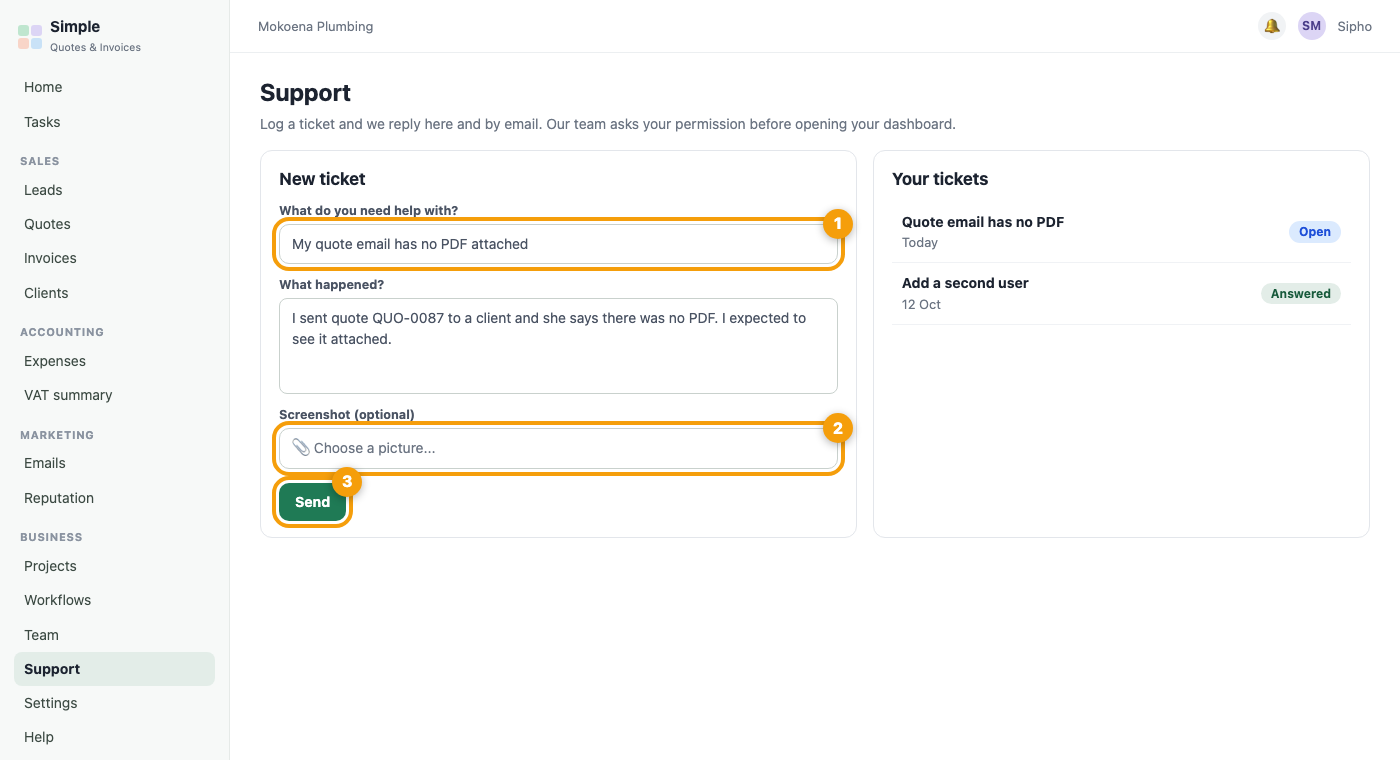
- Open your dashboard and choose Support in the menu.
- Press New ticket and describe what you were trying to do and what happened.
- Add a screenshot if you can. It helps us see exactly what you see.
- Press Send. We reply on the ticket and by email, and every reply stays on your Support page.
Tip: Before you write, search this help centre. Most questions have a short answer here.
Not able to sign in? Use the contact details at the bottom of this page and we will help you get back in.
Was this article helpful?
Did not find it? Contact support