
How do I ask for a deposit on a quote?
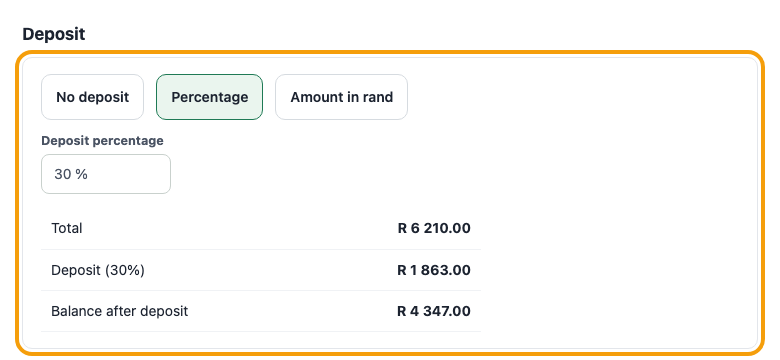
On the quote form choose Deposit, pick a percentage or an amount in rand, and type the value. The quote then shows the full total, the Deposit and the balance after it. Leave it on No deposit and nothing extra shows. Once the quote is sent or accepted, press Create deposit invoice on it: that makes an invoice for just the deposit. When you later convert the quote to an invoice, the deposit invoice is taken off automatically, so the client is never billed twice.
Was this article helpful?
Did not find it? Contact support